Most of us sync our Gmail email address with our Android phone. If you have installed Gmail application and synced your Gmail email address then you get notifications for the new emails that arrives in your inbox. This feature can be useful for people who don’t get much of emails in a day but for those who get thousands of emails each day, this can turn into an annoying feature. So here are the simple steps to turn off Gmail notifications in your Android phone.
Also see: How to print Whatsapp messages of your Android phone
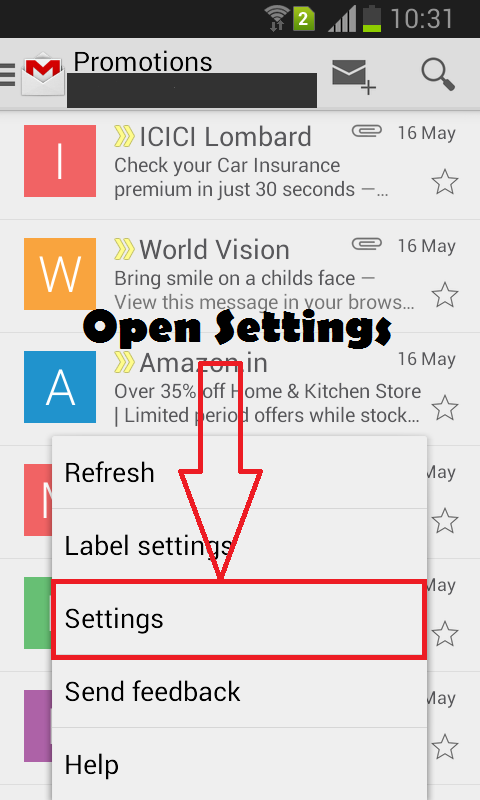
First of all, launch Gmail application in your Android phone and press the menu key to explore the options. From the given options, select settings as shown in the image below.
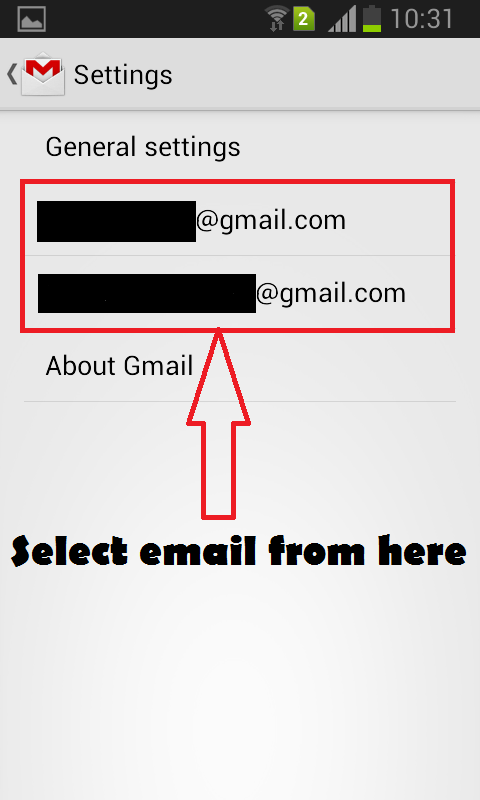
In the next step, select the email address for which you want to turn off notifications. If you have synced more than one Gmail email address then select the one for which you want to turn off notifications.
In the last step, uncheck the notifications option from the next screen as shown in the image below.
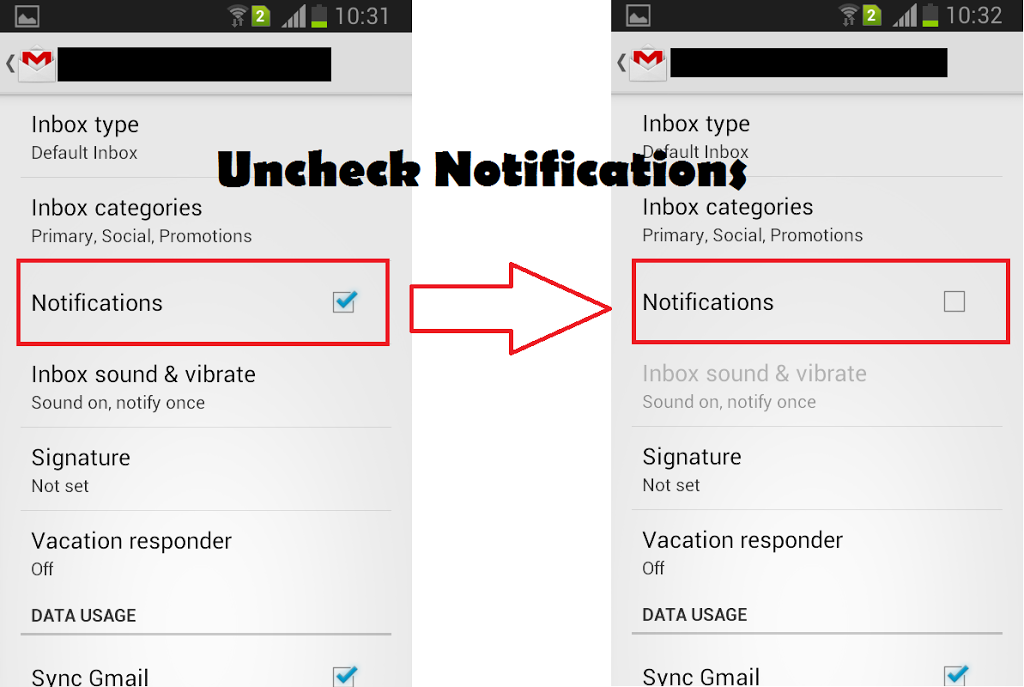
Turn off Gmail notifications in Android
After doing this, you will no longer get notifications for every new email that arrives in your inbox. This will disable any sound or vibrations also. New emails will stay unread in your inbox and you can check them in your convenience.