Special Intensive Revision or the SIR Form is to be submitted by each and every voter who is registered with the Election Commission of India in 2026. This has to be done to verify and revise the electoral rolls with only authentic voters. It is indeed our responsibility as a citizen to help the Election Commission of India in maintaining this list.
The SIR Form can be submitted either online or offline. In offline mode, you can submit the form with the required documents to a designated Booth Level Officer (BLO). To submit the enumeration form online, you can follow the following step by step guide.
Submit SIR(Special Intensive Revision) Form online
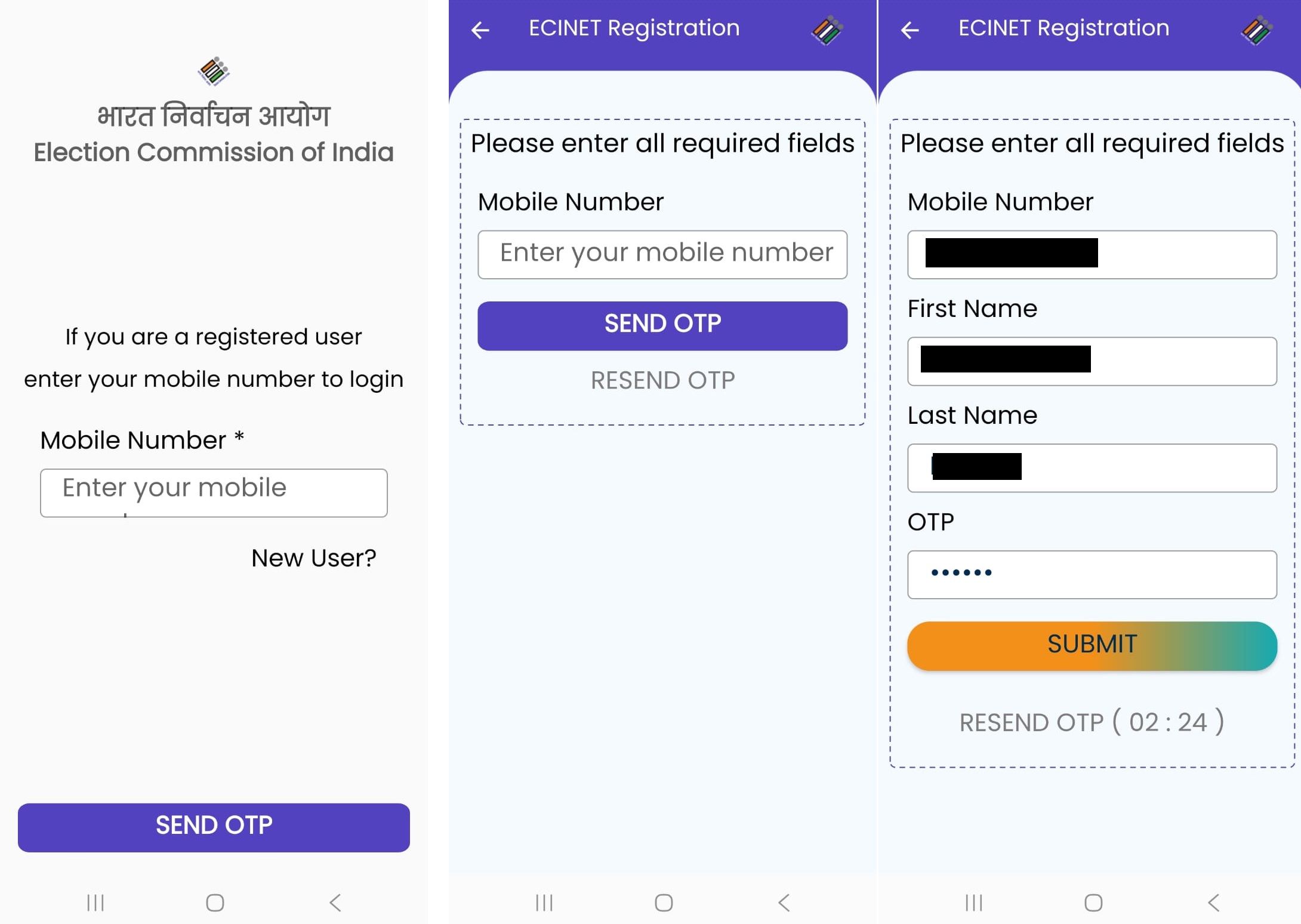
Step 1: Register with your mobile number either on ECINET app or the Voter’s Service Portal on ECI Website.
The process with either of them is the same, We will see here how to do it on the app.
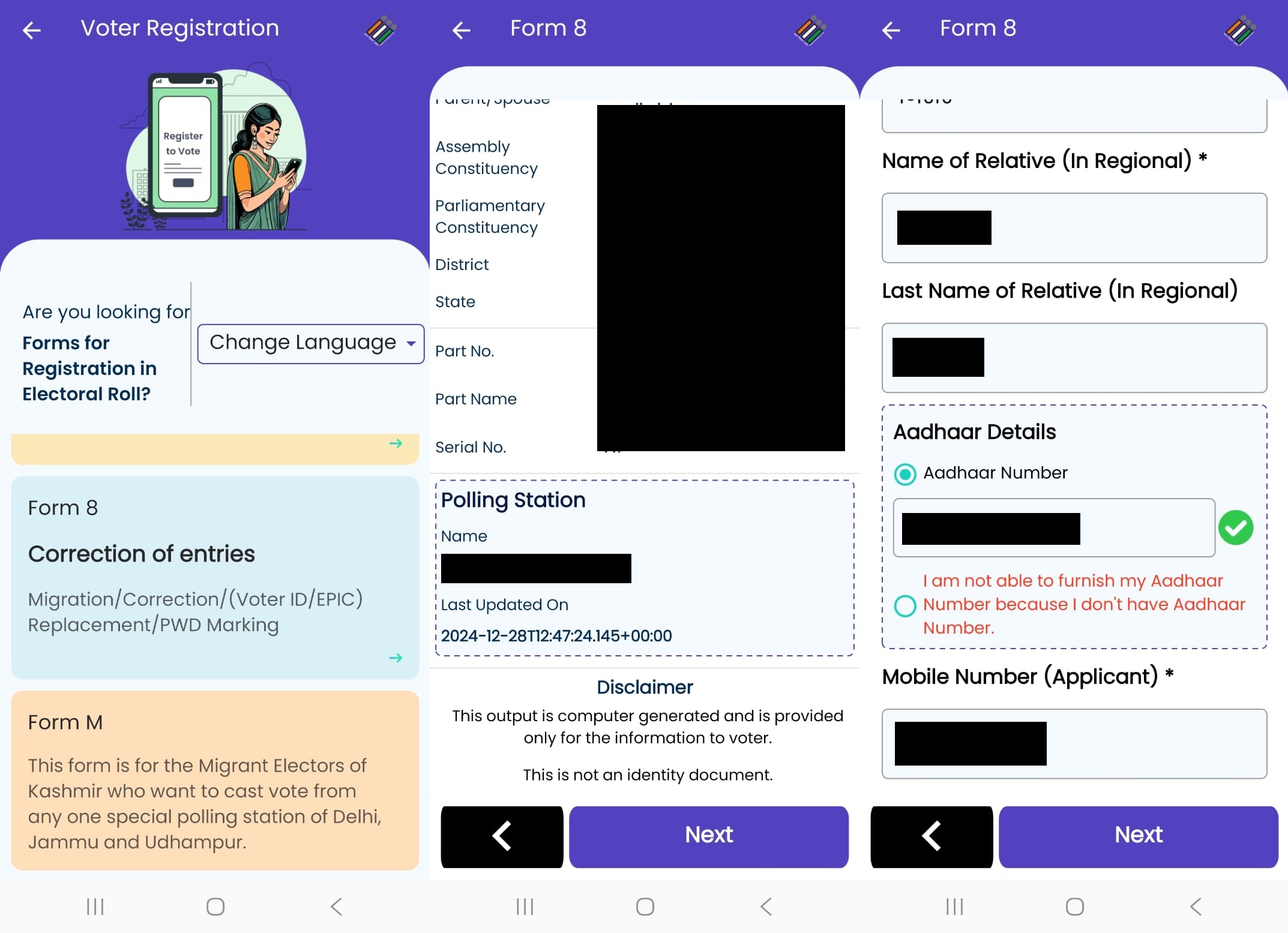
Step 2: Click on Voter Registration Forms and select Form 8 to link your mobile number with your EPIC id. It is important to link your mobile number with your voter EPIC id before proceeding to fill the SIR form.
Step 3: Enter your Voter ID/EPIC to fetch its details. Subsequently, enter your Aadhaaar number, mobile number and email (if any) in the next step.
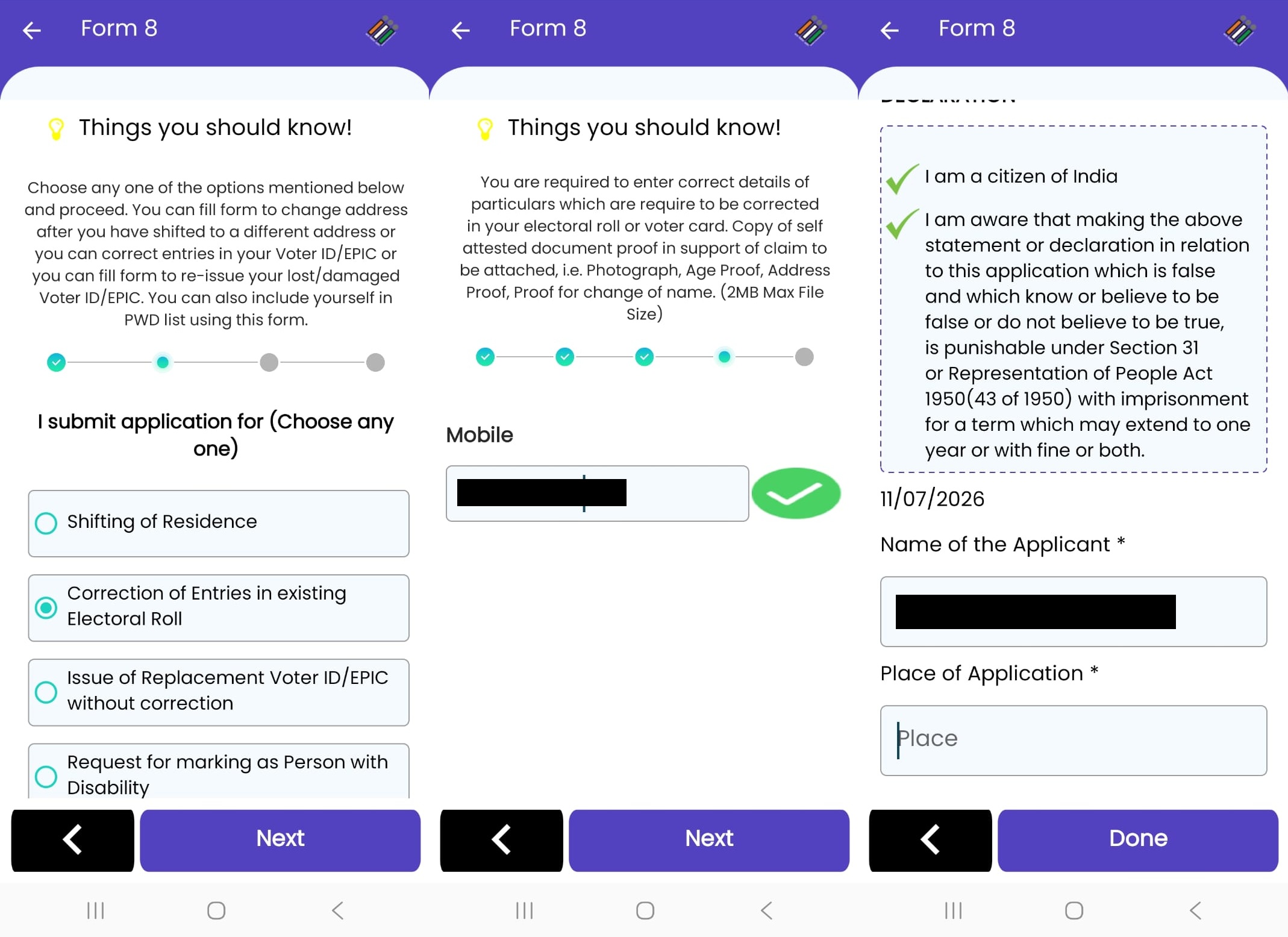
Step 4: Submit the application for Correction of Entries in existing Electoral Roll. Verify your mobile number with OTP in the subsequent steps and submit the declaration.
Step 5: eSign and submit the Form 8 using C-DAC’s e-Hastakshar service. Enter your Aadhaar number and the OTP received. You shall now receive the reference ID for the application to link your mobile number with your Voter ID.
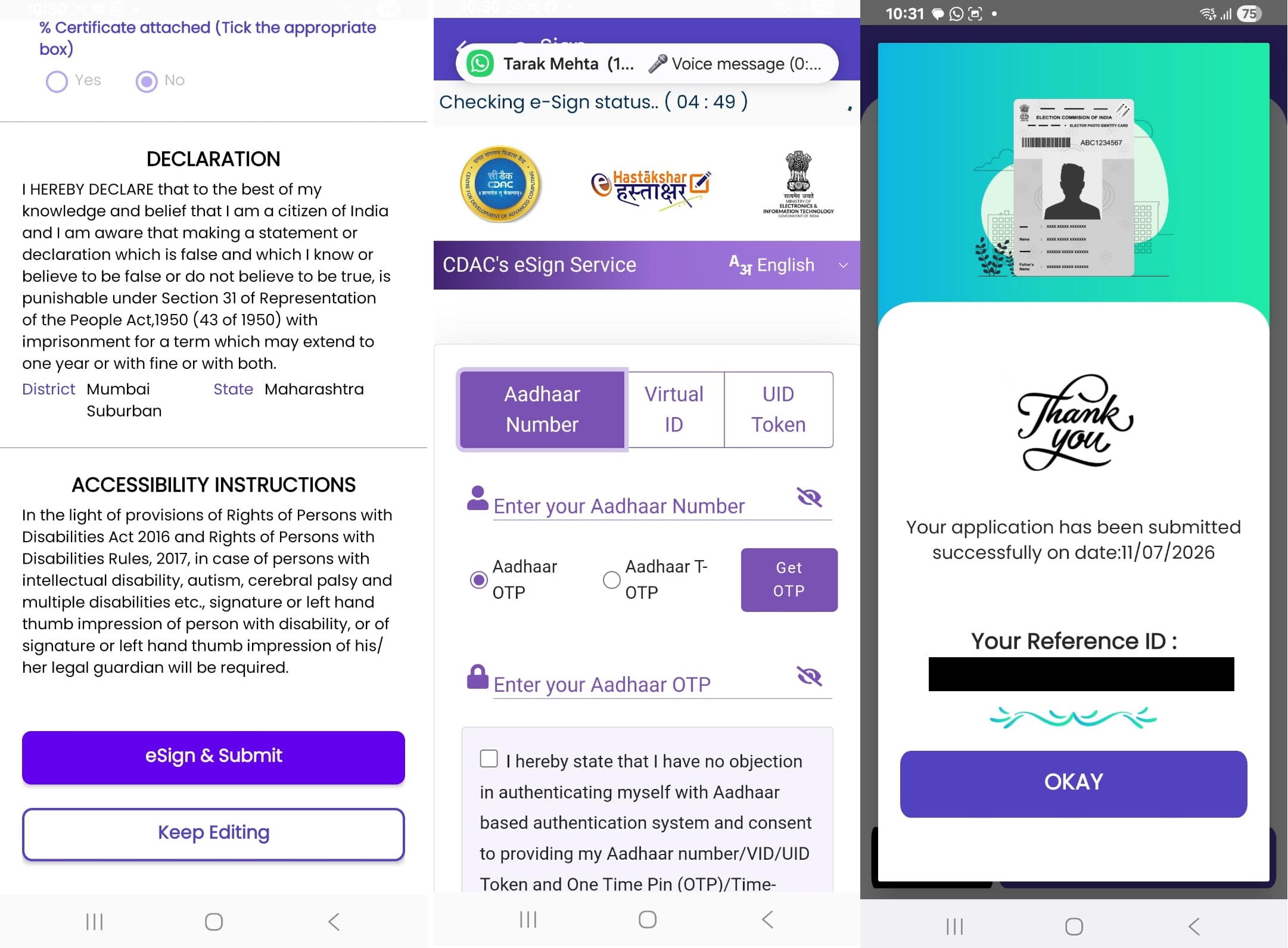
After linking your mobile number with your Voter ID, you can proceed with the following steps to fill the SIR enumeration form online. However, it will be of no use if you have skipped linking your mobile number.
Step 6: From the voter registration forms, click on the first green colored option to fill enumeration form online for the Special Intensive Revision(SIR)-2026. In the enumeration form, select the state and enter your Voter ID. Submit this form to get the prefilled information. Check your details and move on to the next step.
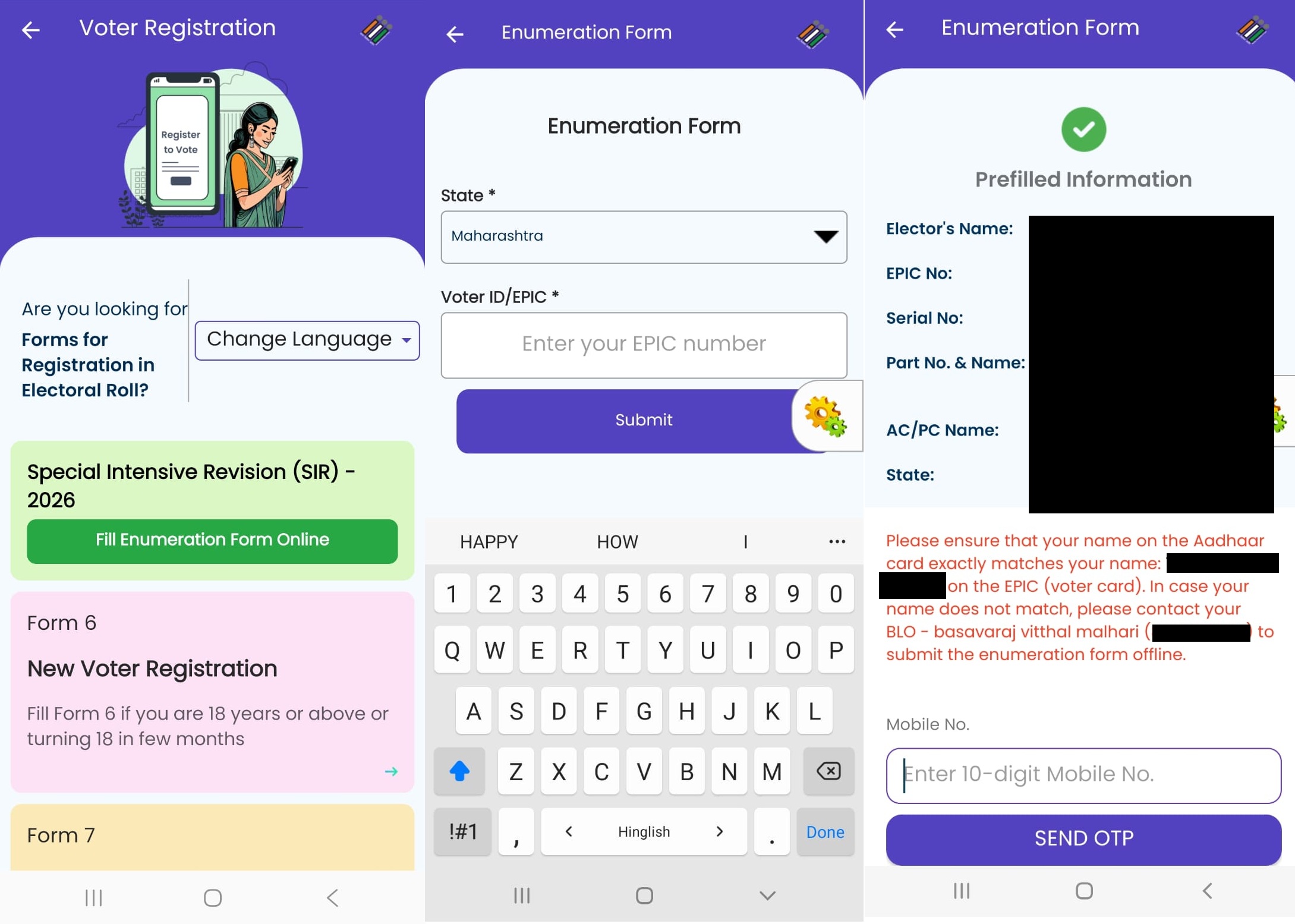
Step 7: Now, this is an important step, based on whether your name exists in Electoral roll of 2002. You will have to select one category. If you didn’t complete 18 in the year 2002, you will have option to select your parents or grandparents name to proceed further. Otherwise, you may select the first option i.e. your name exists in the last SIR.
Step 8: Search your own name or your parents name by Assembly Constituency, Polling Station No and Name and Part Serial No. If your name exists then you may select it and proceed further to the next step. If your own name didn’t exist in the last SIR, you will have to select the name of either of your parents or grandparents to proceed further.
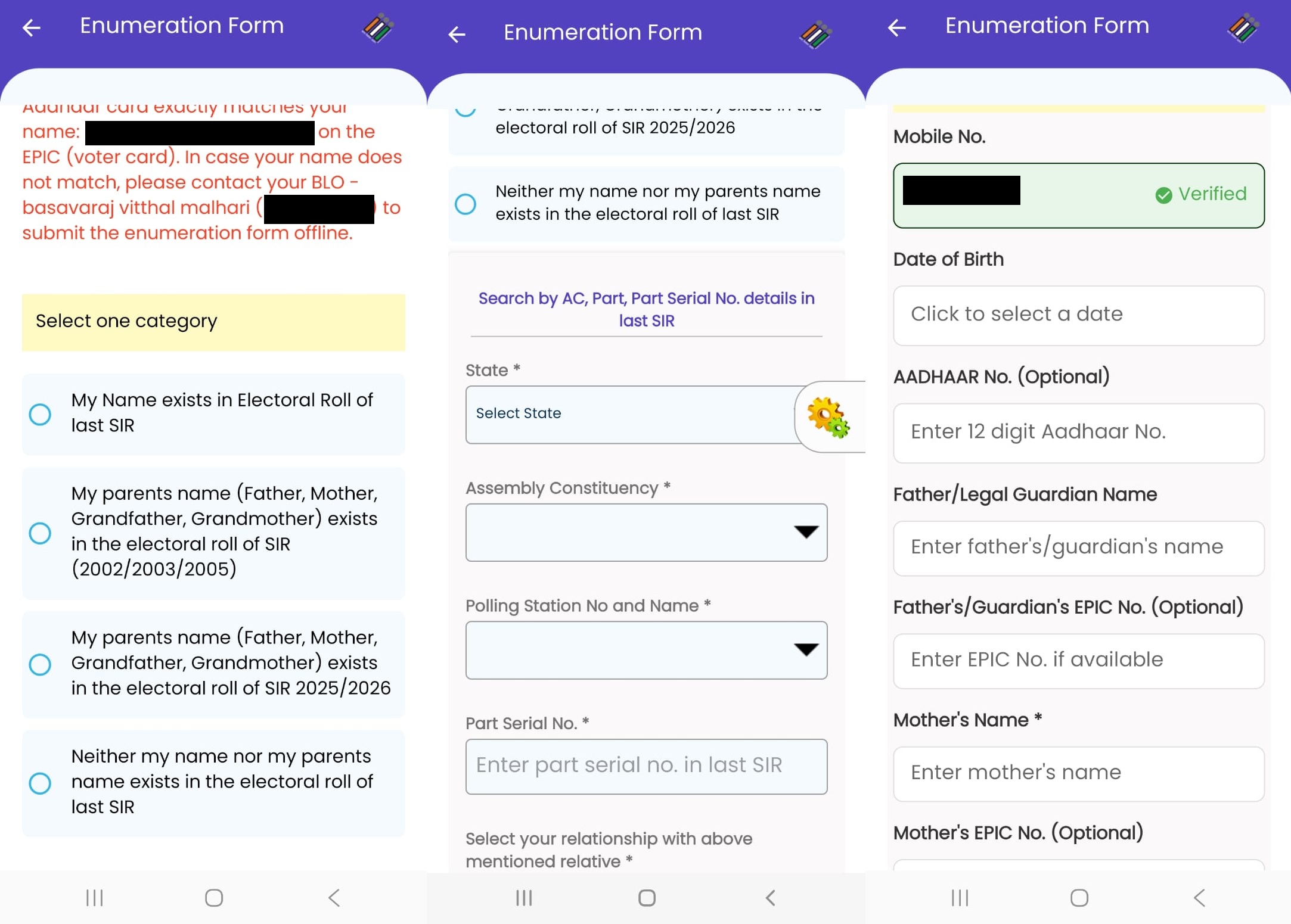
Step 9: Irrespective of whether your name was there in the last SIR or not, you will have to complete the last step. In the last step, you will have to enter your own details such as your date of birth, Aadhaar number, your parents name. Apart from your details, it is compulsory to write your parents name i.e. both father and mother.
Married people can write their spouse’s name and Voter ID/EPIC no. to verify your identity more precisely. Lastly, upload your latest passport size photo and submit the enumeration form.
Step 10: Preview the Enumeration Form that you have filled and submit it along with the declaration if all details are correct.
Step 11: eSign and submit the SIR Enumeration Form using C-DAC’s e-Hastakshar service. Enter your Aadhaar number and the OTP received. You shall now receive the reference ID for the SIR Form that you have submitted.
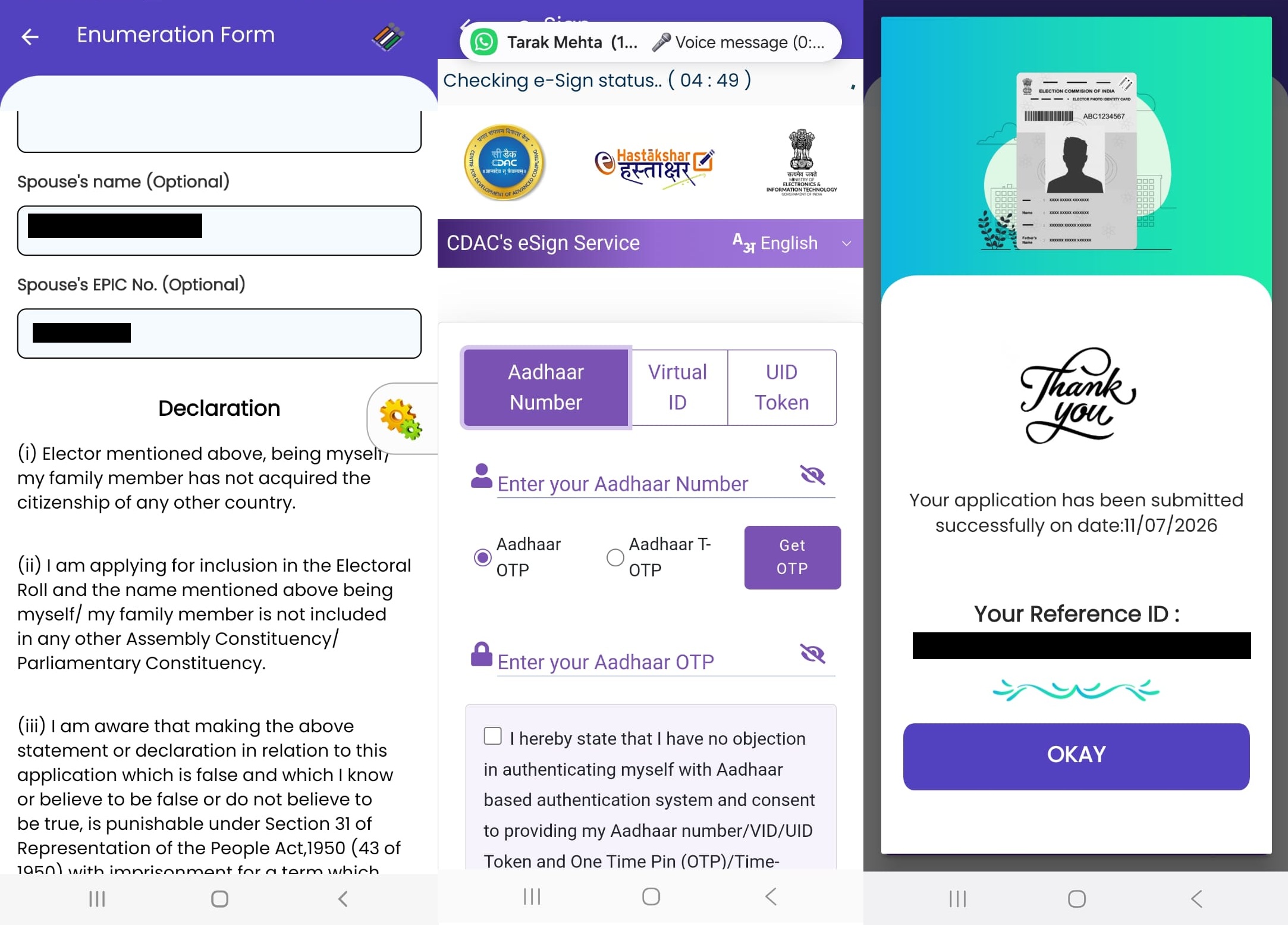
In order to submit the SIR Enumeration Form, your Aadhaar name should match exactly with your Voter ID name and also you should have linked your mobile number with your Voter ID. If for any of these reasons, you are not able to submit the form then you will have to contact the BLO Officer. You will get the contact details of the BLO Officer, in the forms that you have received offline.